Last modified 2 years ago
1077 Views
1 min read
Last modified 2 years ago
743 Views
2 min read
Last modified 2 years ago
3569 Views
1 min read
Last modified 2 years ago
986 Views
Less than a minute read
Last modified 2 years ago
1031 Views
1 min read
Last modified 2 years ago
501 Views
1 min read
Last modified 2 years ago
3308 Views
1 min read
Last modified 9 years ago
233 Views
Less than a minute read
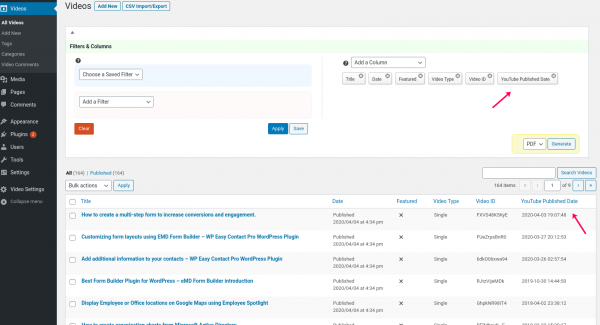
Shows how to use integrated YouTube Showcase Pro Smart Search and Columns feature to filter through videos and organize lists in WordPress admin....
Last modified 9 years ago
315 Views
Less than a minute read
YouTube Showcase Pro WordPress Plugin allows you to drag and drop your videos and display them in the order you want easily....
Last modified 9 years ago
237 Views
Less than a minute read
YouTube Showcase Pro WordPress Plugin allows the scope of built-in video manager user role from the plugin settings without needing a third party p...
Last modified 9 years ago
332 Views
Less than a minute read
YouTube Showcase Pro WordPress Plugin comes with powerful import, export and update tool. You can use it to create backups or migrate your video fr...
Last modified 9 years ago
302 Views
Less than a minute read
YouTube Showcase WordPress Plugin helps you display YouTube videos in WordPress in a beautiful video gallery. Your visitors can access to videos fr...
Last modified 2 years ago
344 Views
Less than a minute read
If you have too many videos, it becomes harder and harder to find the right video or group of videos. EMD Advanced Filters and Columns addon.
Last modified 2 years ago
367 Views
Less than a minute read
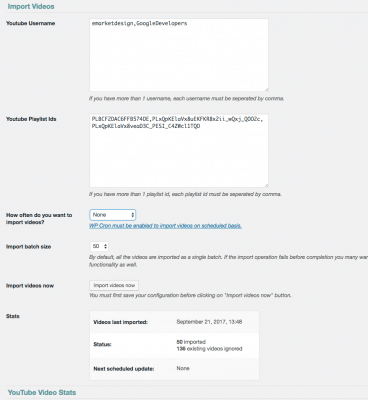
If you have too many videos or your video information gets updated from external systems frequently , it may not be practical to create or update each video manually.
Last modified 2 years ago
388 Views
Less than a minute read
YouTube Showcase allows you to customize video pages with a few clicks from the plugin settings. I am going to change the location of the sidebar from the right to the left.
Next, let's change the base slug from videos to stories. It is important to visit the Perm...
Last modified 2 years ago
561 Views
Less than a minute read
To display your videos in a video grid page, go to Pages, find Video Grid page, hover on the page link and click on View. You will see all your videos. If you have more than 161 videos, a paged navigation is displayed. Click on a page number to go to that page.
Last modified 2 years ago
313 Views
Less than a minute read
To display your videos in a video gallery page, go to Pages, find Video Gallery page, hover on the page link and click on View. You will see all your videos. If you have more than 8 videos, a paged navigation is displayed. Click on a page number to go to that page.
Last modified 2 years ago
417 Views
Less than a minute read
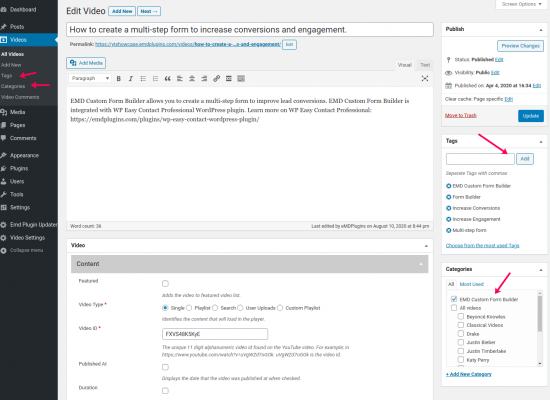
To create a video page manually, first identify the YouTube video id. Go to the video's page and copy the letters and number after the equal sign.
Go to WordPress dashboard, click on "Add New" button, paste the id to the key field, set the video title and other fields. ...
Last modified 2 years ago
324 Views
Less than a minute read
Once you activate the plugin, you will see Setup assistant buttons. Click on "Setup YouTube Showcase Pages" button. It will create all the default pages automatically. If you clicked on "Skip setup". The setup assistant will now show again.
In that case, go to Vid...
Last modified 2 years ago
306 Views
1 min read
Last modified 2 years ago
1611 Views
1 min read


How to recover missing YouTube Showcase video comments